Quote & get paid

Quote the same day. Track every invoice.

Build a professional estimate with your own line items, email it with your logo, and let the customer accept it with one click. Then turn it into an invoice and see exactly what's outstanding.

  • Accept by email, no customer login
  • SMS & email alerts
  • Works on your phone

How it works

From site visit to invoice in four steps.

Each step picks up where the last one left off. The lead's details carry into the estimate, and the accepted estimate becomes the invoice, so nothing gets typed twice.

  1. 1

    Build

    Add your line items

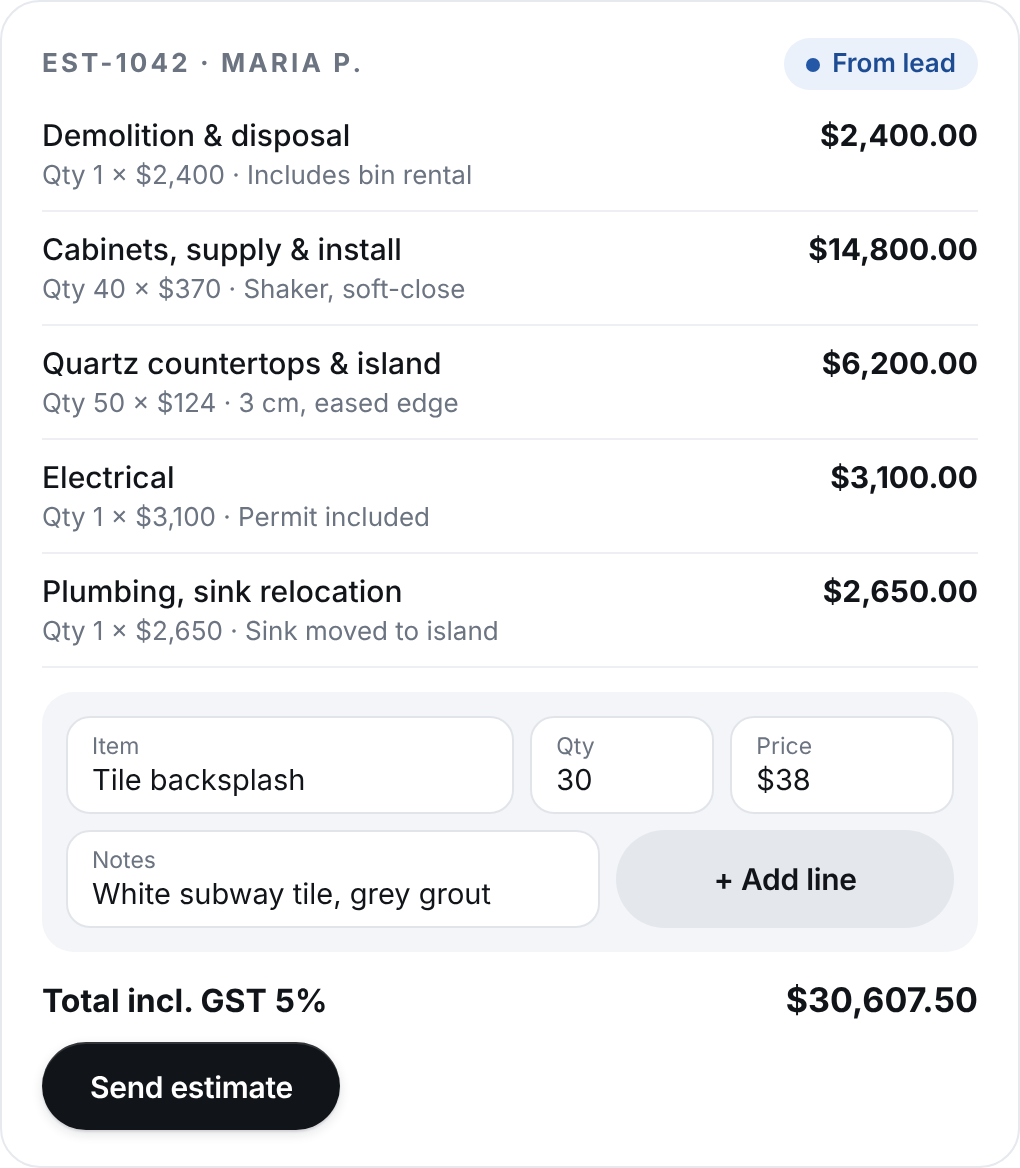
    Start from the lead, then add each item with quantity, price and notes.

  2. 2

    Send

    Email it, branded

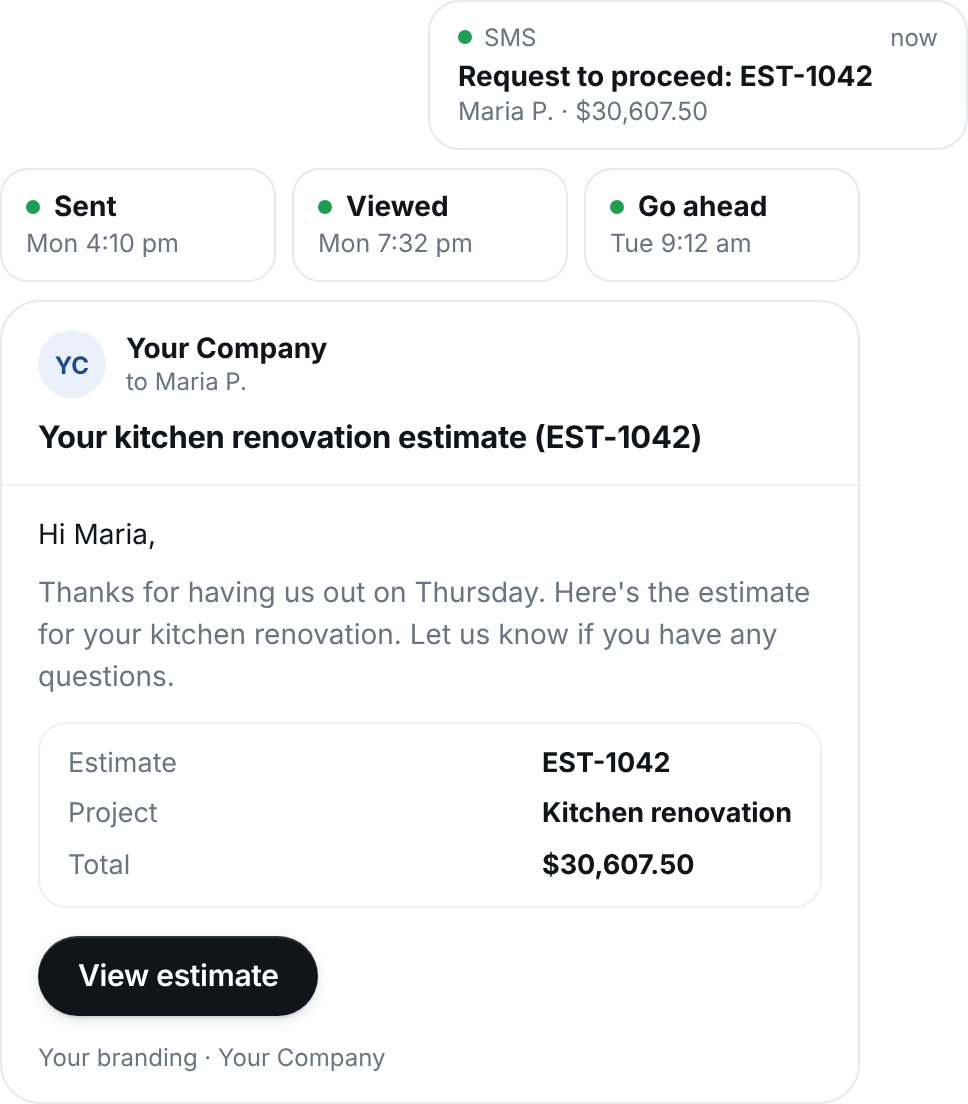
    Your logo, your details, a clean estimate the customer can read on any device.

  3. 3

    Accept

    One-click accept

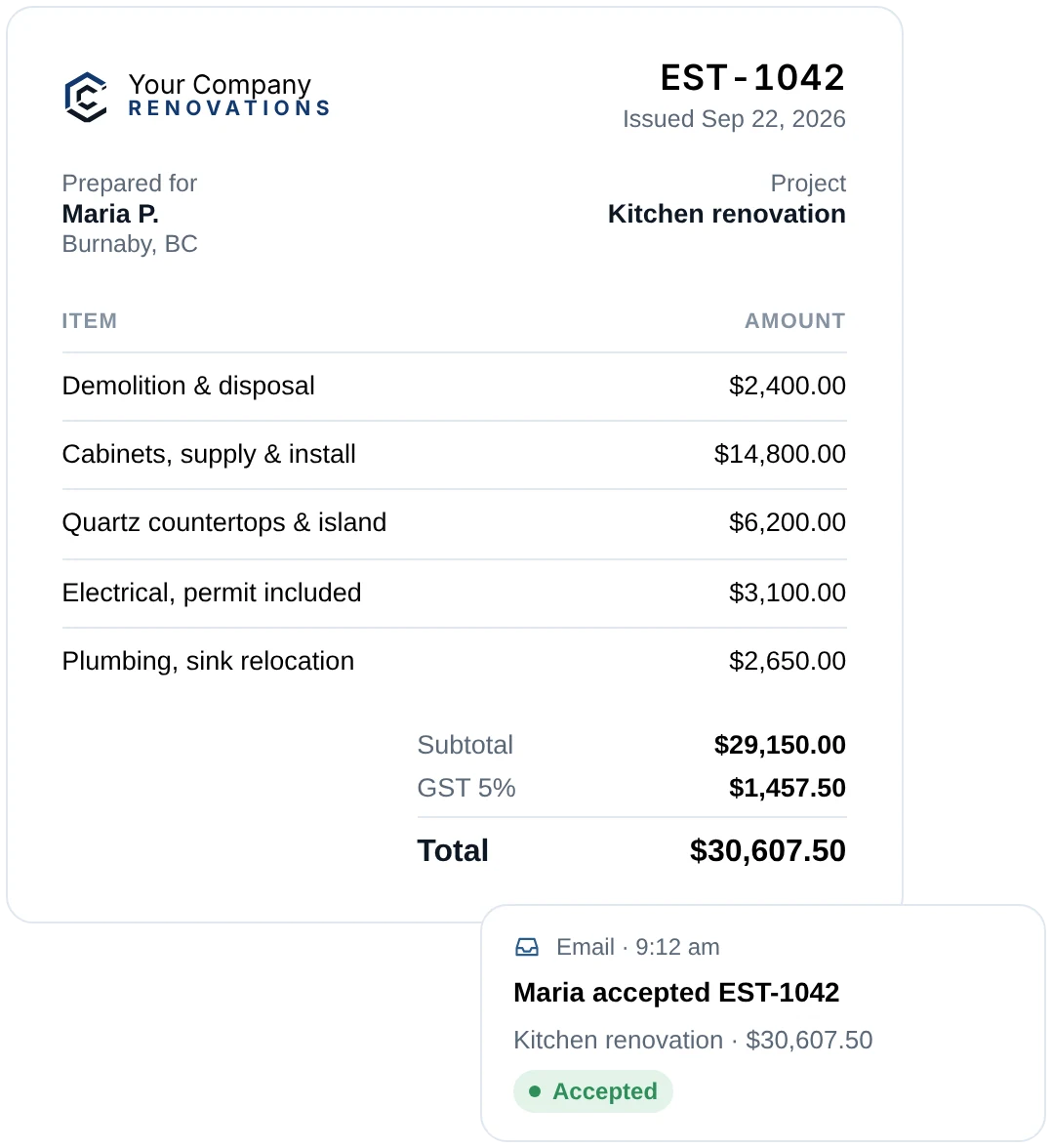
    You see when they've viewed it. They accept from the email, and you get an SMS or email right away.

  4. 4

    Invoice

    Convert & track

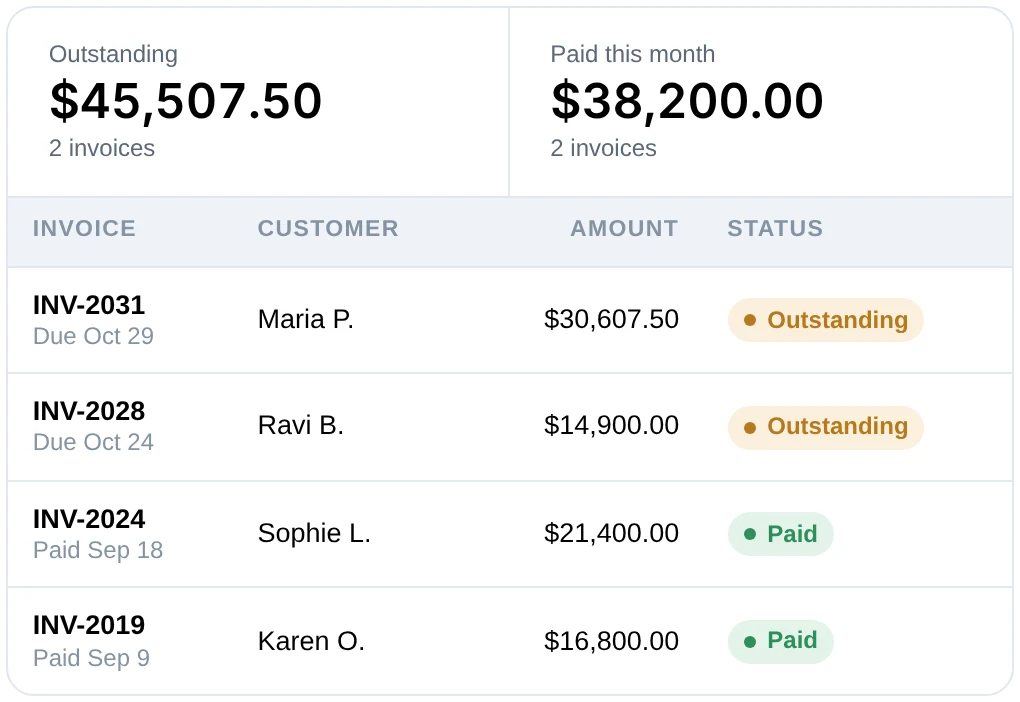
    Turn it into an invoice in one click, then see it as Outstanding or Paid.

Build

A clean, itemized estimate in minutes.

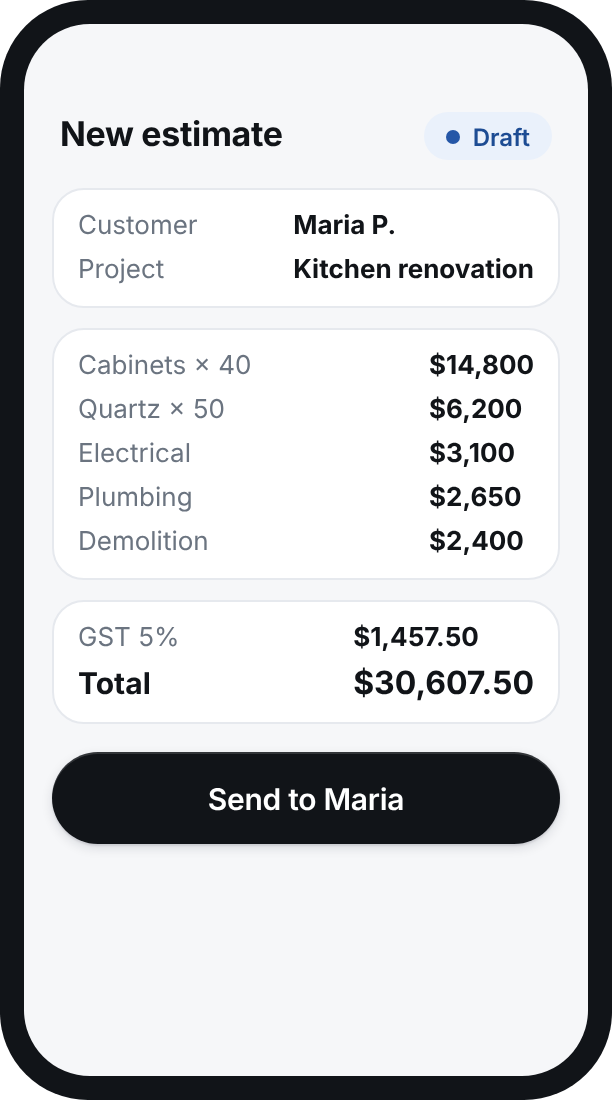
Stop copying last month's quote in Word or Excel and retyping the customer's details. Start from the lead, add your line items, and the math is done for you.

  • Line items with quantity, price and notes
  • Customer and project details pulled from the lead
  • Subtotal, GST and total calculated for you

Send & accept

Customers accept from their inbox. You hear about it instantly.

The estimate arrives as a clean, branded email. Your customer reviews it and accepts with one click, with no account or app to download. The moment they do, you get an SMS or email, and the estimate is marked Accepted.

  • Branded estimate email with your logo
  • One-click accept from any phone or computer
  • See when it's been viewed and when it's accepted
  • SMS or email alert when an estimate is accepted

Invoice & track

Know what's outstanding without opening a spreadsheet.

When the work's done, convert the accepted estimate into an invoice in one click. Every invoice shows as Outstanding or Paid, so you can see who still owes you at a glance.

  • Accepted estimate to invoice in one click
  • Clear Outstanding and Paid status on every invoice
  • Totals for outstanding and paid, always up to date

From the driveway

Send the estimate before you leave the site visit.

The whole flow works on your phone. Walk the job, build the estimate right there, and send it while you're still in the customer's driveway. The first estimate in their inbox often wins the job.

Built for mobile

Create, send and check estimates and invoices from your phone.

Instant alerts

SMS or email the moment a customer accepts.

Why switch

What changes when quoting lives in one place.

Writing the estimate

The usual way

Copy last month's Word or Excel file and retype the customer's details

With ContractorCaptain

Start from the lead, add line items, and totals and GST are done for you

Getting approval

The usual way

Email a PDF, then call or text to ask if they've decided

With ContractorCaptain

Customer accepts from the email, and you're alerted by SMS or email

Invoicing

The usual way

Rebuild the numbers in a separate invoice template

With ContractorCaptain

Convert the accepted estimate in one click

Knowing who owes you

The usual way

A spreadsheet, a notebook, or memory

With ContractorCaptain

Every invoice marked Outstanding or Paid, with totals

Questions

Estimates & invoices FAQ

Anything else? Ask us.

Does my customer need an account to accept?+

No. They receive the estimate by email and accept it with one click, from their phone or computer.

Can I use my own prices?+

Yes. You add each line item with your own quantity, price and notes, and the subtotal, taxes and total are calculated for you.

How am I notified when an estimate is accepted?+

You get an SMS or email as soon as the customer accepts, and the estimate is marked Accepted in your dashboard.

How do my customers pay?+

Every invoice email has a Make Payment button that opens your own payment page, plus your
e-Transfer details if you use them. When the money arrives, you mark the invoice Paid in one click.

How do invoice statuses work?+

Each invoice is either Outstanding or Paid. Your dashboard totals both, so you always know how much is still owed.

Can I do all of this from my phone?+

Yes. You can build, send and check estimates and invoices from your phone as well as your computer.

Book a Consultation

See it running on your own website.

Tell us a little about your company. On a short call we'll talk through how you get leads today, where jobs slip through, and whether ContractorCaptain makes sense for you.

  • A live walkthrough of the assistant, dashboard, estimates and invoices
  • A quick review of your current website and lead flow
  • No commitment and no pressure

We'll use your details to arrange your demo and follow up about ContractorCaptain. We never sell your information. See our Privacy Policy.